 ESPectre
What is Wi-Fi sensing?
Wi-Fi sensing uses changes in wireless signals to detect activity in a space. When someone moves, the reflections of the Wi-Fi signal change. ESPectre uses this effect to detect motion with an ESP32, a small programmable Wi-Fi board, without cameras, microphones, or cloud processing.
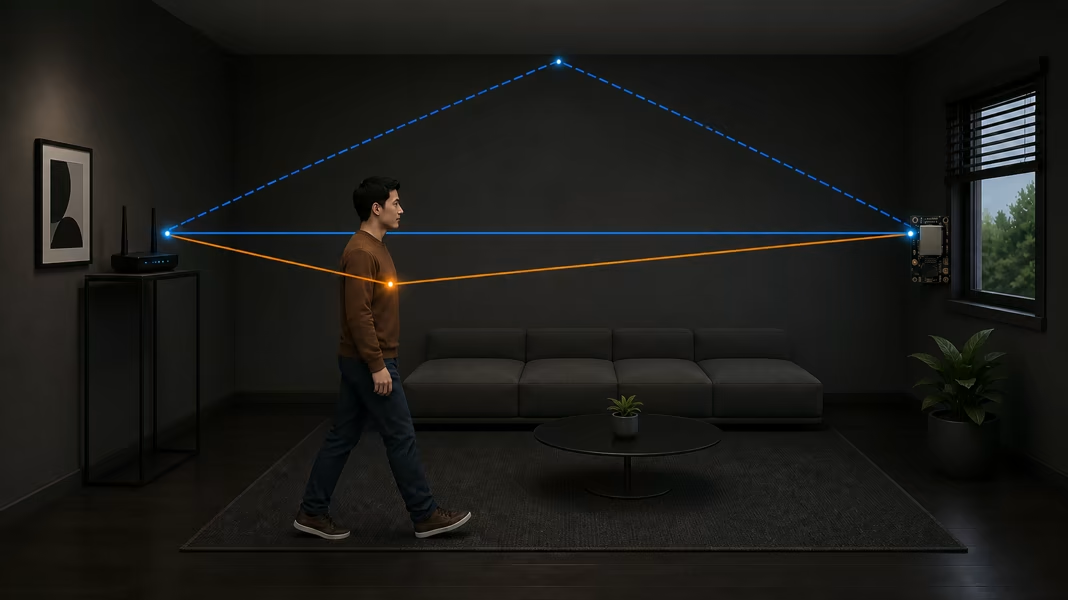 1 · First position
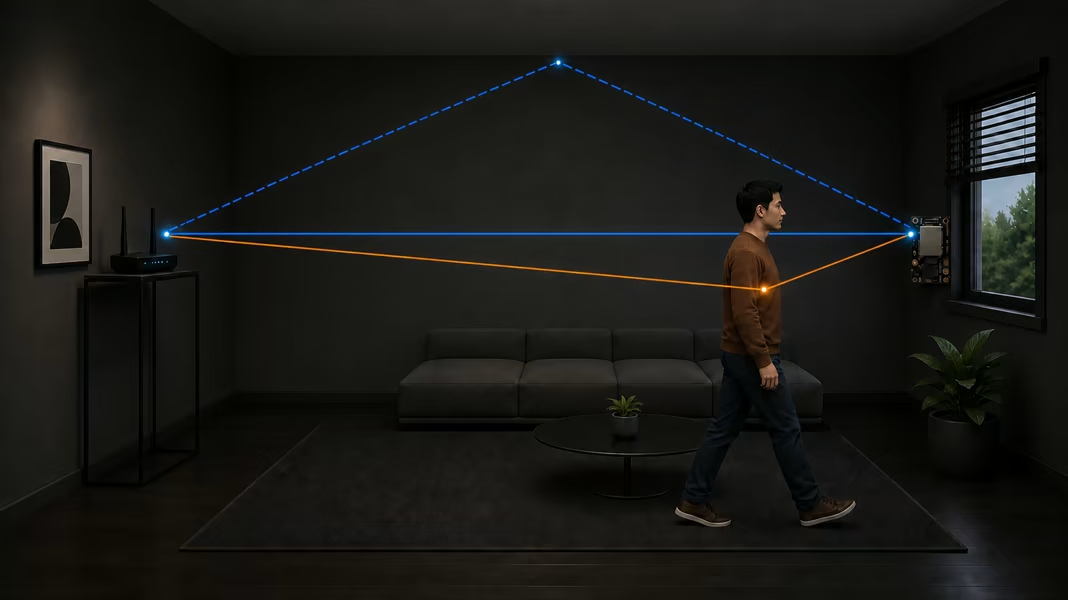 2 · A moment later
Sections
Can I try Wi-Fi sensing at home?
With ESPectre, you need a supported ESP32 board, USB power, and a Wi-Fi router. The ESP32 receives the signal and runs the motion detector locally. Your router alone does not become an ESPectre sensor.
Follow the browser installation guide, then test the sensor in your room. You can watch motion in the browser or connect it to Home Assistant for automations, such as switching on a light when movement is detected.
The room becomes part of the signal
A Wi-Fi signal rarely travels in one straight line from the access point to the receiver. It also bounces off walls, furniture, and people. These copies arrive together and add up, sometimes making the signal stronger and sometimes cancelling part of it. This is called multipath.
In a quiet room, these paths stay fairly stable. When somebody moves, the reflections from their body move too: some paths get longer, shorter, stronger, or weaker, and the signal reaching the ESP32 changes.
From a Wi-Fi packet to CSI
Every Wi-Fi packet starts with a known pattern that helps receivers decode it. Because the ESP32 knows what this pattern should look like, its Wi-Fi hardware can estimate how the room changed it along the way. That estimate is called Channel State Information, or CSI: a snapshot of the radio channel at that moment.
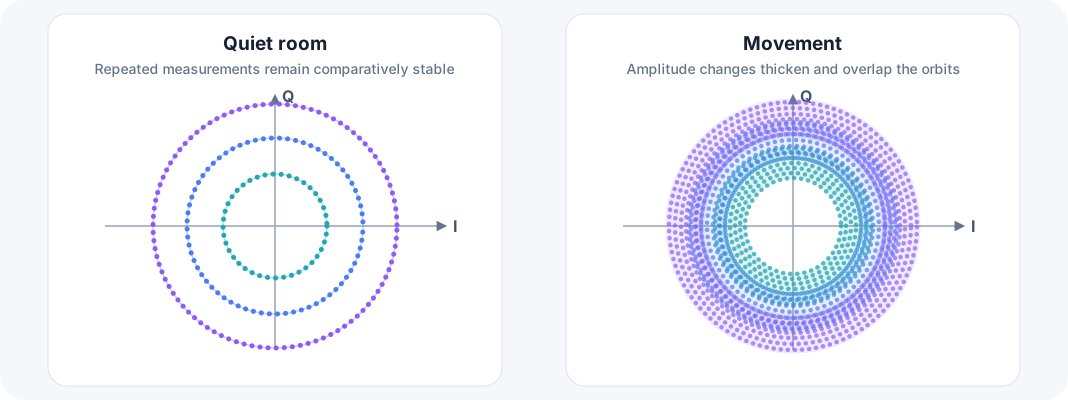
Wi-Fi splits its channel into many closely spaced frequencies called subcarriers. CSI describes how much each one was weakened and shifted on its way to the ESP32. Each subcarrier has two values, I and Q, which together give the strength and phase of that part of the signal.
From channel changes to movement
ESPectre follows CSI packet after packet. A quiet room gives a fairly repeatable pattern; movement causes larger changes across several subcarriers at once. The detector filters out ordinary radio noise, combines the changes over time, and turns them into a movement score and a motion state. The score shows how much the channel is changing in that room; it is not a physical unit and cannot be compared between rooms.
Supported ESP32 chips provide CSI and are powerful enough to run the detector themselves. No radar module or external service is needed.
Going deeper
The algorithm reference explains the signal processing and the detectors in detail.